See the watts your Mac really gets.
Your Mac says “charging”. Kettle shows how many watts, and why.
For Apple Silicon Macs on macOS 14 or later.
Same charger. Through the hub, 35 W less.
Kettle’s swap test on a 16-inch MacBook Pro: plugged in direct, then through a USB-C hub. Nothing on the Mac said a word about it.
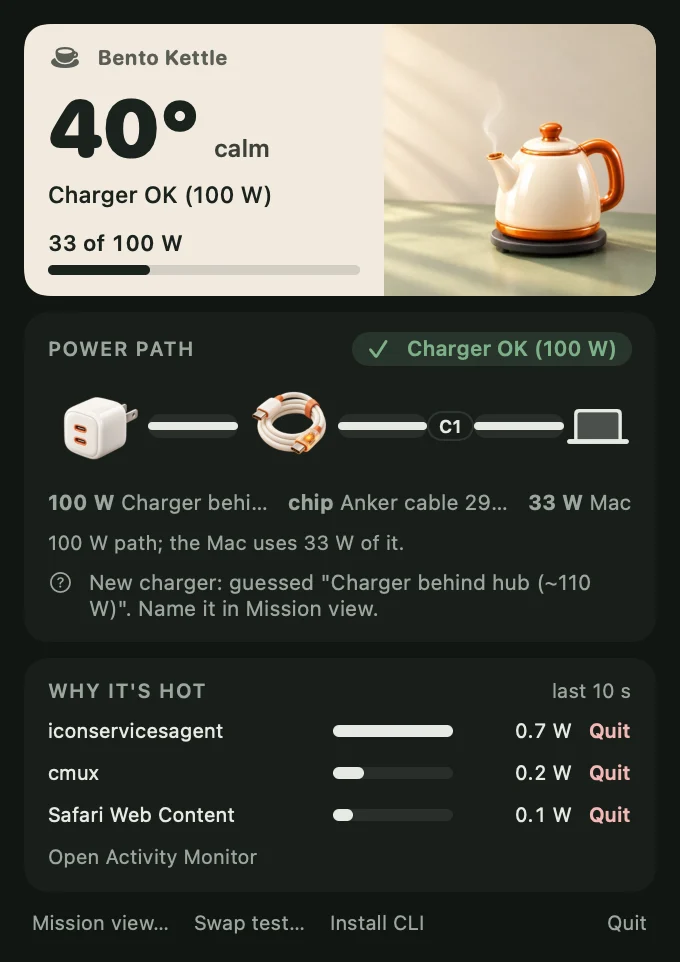
Every watt, from the wall to the chip.
Charger, cable, hub, Mac. Kettle reads each link and names the weak one.
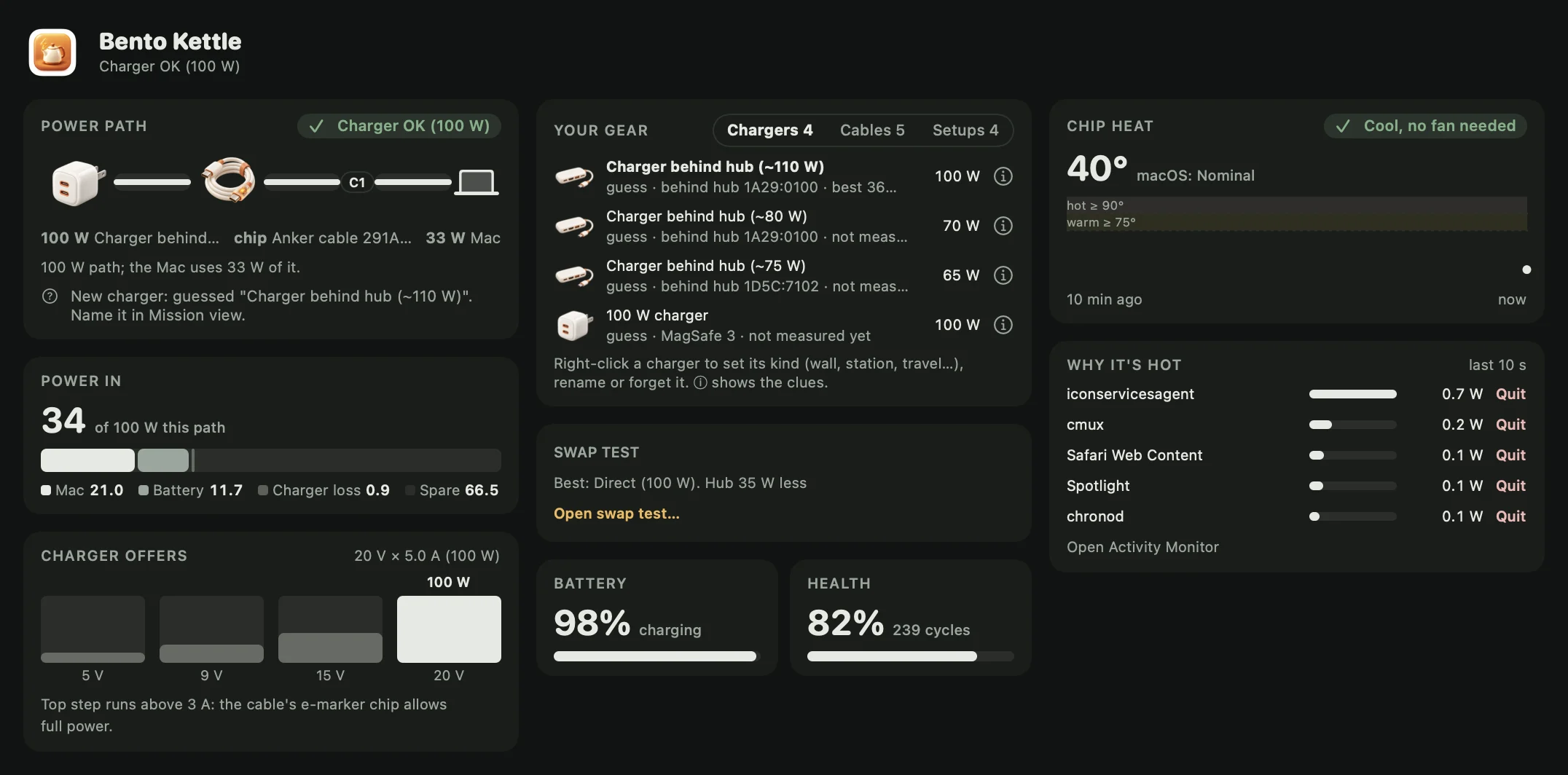
Four answers, one click away.
- Power path
- Charger, cable and hub in a line, with the watts each one lets through.
- Why it’s hot
- The apps drawing the most power right now, each with a Quit button.
- Swap test
- Try direct, another cable, the hub. Kettle tells you which one wins.
- Your gear
- Every charger and cable you plug in, named once and ranked fastest first.
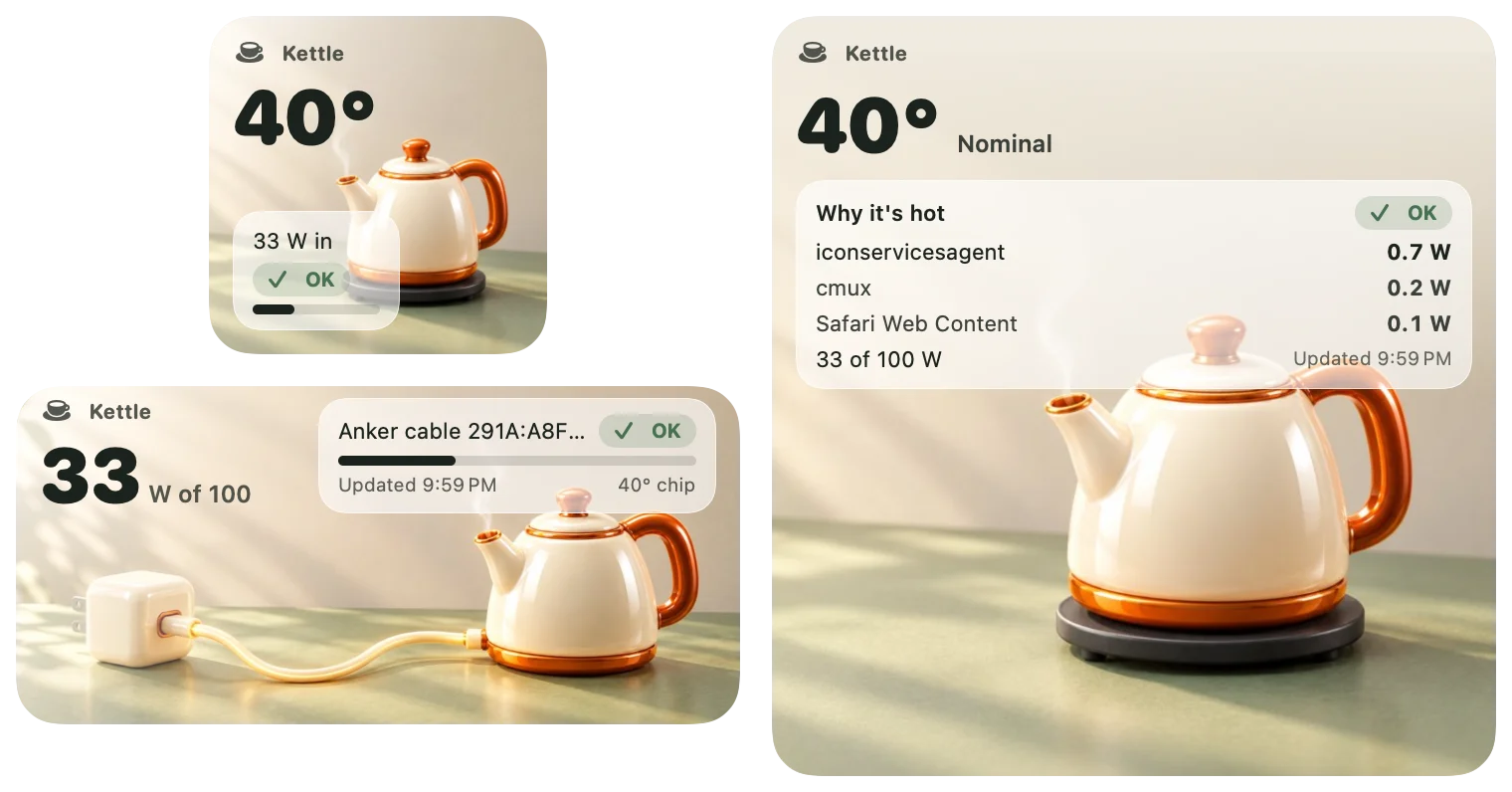
On your desktop. In your terminal.
Widgets for a glance. A command for scripts and AI agents.
Add --json and a script or an AI agent reads the same numbers. No network, no root.
$ kettle status
charger: Charger OK (100 W)
  adapter: 100 W pd charger | step: 20 V × 5.0 A (100 W)
  offer: 5 V × 3.0 A (15 W), 9 V × 3.0 A (27 W), 15 V × 3.0 A (45 W), 20 V × 5.0 A (100 W)
  in: 13.1 W at 19.6 V | Mac 9.8 W | battery 3.4 W | charger loss 0.20 W
  battery: 100% charging | 30.4 C | health 85% | 239 cycles
heat: Cool, no fan needed | thermal: Nominal | chip: 43.5 C
culprits:
  yes (pid 11163): 4.7 W
  cmux (pid 94594): 0.0 W
Safari Web Content (pid 71807): 0.0 Wyes as a test load. Two idle lines cut.Questions people ask first
What does Bento Kettle do?
Bento Kettle is a menu bar app for Apple Silicon Macs. Bento Kettle shows how many watts the charger offers, how many actually reach the Mac, which link in the chain (charger, cable or hub) holds the power back, and which apps make the Mac hot.
Why is my MacBook charging slowly even though it says charging?
A Mac shows “charging” at any wattage. A hub keeps part of the charger’s power for itself, a plain USB-C cable without an e-marker chip caps at 3 A (60 W), and a shared multi-port charger splits its power. Bento Kettle shows the offer, the watts in and which of these is the limit.
Can Bento Kettle tell which charger or cable I am using?
Chargers do not report a brand, so Bento Kettle reads clues instead: the voltage steps the charger offers, the vendor ID of the hub or charger, and the cable’s e-marker chip. Bento Kettle suggests a name from those clues, and after you rename a charger or cable once it recognizes it every time.
How does Bento Kettle find what makes my Mac hot?
Bento Kettle reads the chip temperature and lists the processes using the most power over the last few seconds. Each one has a Quit button for your own apps, and Bento Kettle never touches system or other users’ processes.
Does Bento Kettle send my data anywhere?
No. Bento Kettle makes no network connections and needs no administrator password. Every reading comes from the Mac itself and stays on the Mac.
Which Macs does Bento Kettle support?
Bento Kettle runs on Apple Silicon Macs with macOS 14 Sonoma or later. Intel Macs are not supported.
Does Bento Kettle work with MagSafe, hubs and charging stations?
Yes. Bento Kettle handles MagSafe, USB-C straight into the Mac, and USB-C through a hub or dock. Bento Kettle keeps a list of every charger and cable you plug in, lets you mark a charger as a wall charger, charging station or travel adapter, and ranks your setups by how fast they charge from 20 to 80 percent.
Can I use Bento Kettle from the terminal or with an AI agent?
Yes. Bento Kettle ships a kettle command. kettle status --json returns the charger, the heat and the top processes, and kettle chargers, kettle cables and kettle setups list your gear, so a script or an AI agent reads the same numbers as the panel.
How much will Bento Kettle cost and when can I get it?
The price and the release date are not set yet. People on the Bento Kettle waitlist hear both first.

Know your charger before it lets you down.
Join the waitlist. You hear the price and the date first.